Insight Flow AI Web Analytics Dashboard: A Smarter Way to See Your Data
Staring at a wall of numbers and trying to make sense of your website's performance can feel like deciphering a foreign language. You know the data is valuable—page views, bounce rates, conversion paths—but the raw spreadsheets and cluttered default reports often create more confusion than clarity. This is where the right visual tool transforms everything. The Insight Flow AI Web Analytics Dashboard is built for that exact moment when you need to move from data overload to actionable understanding, presenting complex information in a way that is both intuitive and visually compelling.
A Design That Thinks Like a Marketer
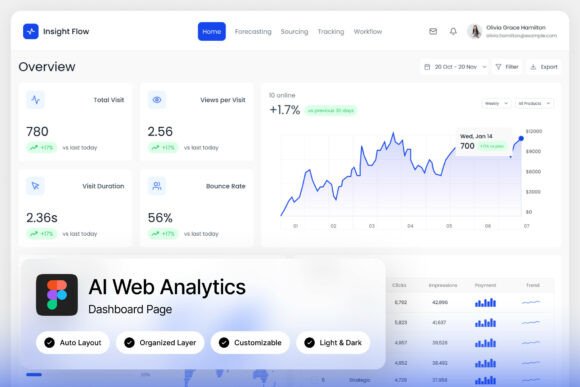
What sets this dashboard template apart isn't just its clean lines or modern aesthetic; it's the underlying logic. The layout is crafted by someone who understands the daily workflow of a digital marketer, SEO specialist, or business owner. Instead of presenting every metric at once, it uses intelligent visualization to guide your eye to what matters most. Key performance indicators are highlighted with clear charts and graphs, while deeper data is organized in accessible layers. The inclusion of both light and dark mode interfaces means you can tailor the environment to your preference, reducing eye strain during long analysis sessions or matching your brand's visual tone for client presentations. It’s a premium design asset that respects your time and cognitive load.
Practical Applications Across Your Projects
While the primary function is analytics, the clean, modular nature of the Insight Flow AI dashboard makes it a surprisingly versatile design resource. Think beyond the admin panel. The well-organized, named layers in the Figma file allow you to easily extract and repurpose visual elements. That sleek progress bar could become part of a social media infographic explaining campaign results. The card-based layout for displaying top pages might inspire the structure of a new pricing page or a product feature showcase on your website. For content creators and bloggers, the dashboard’s style can inform the design of media kits or downloadable guides, presenting statistics about your audience reach in a professional, easy-to-digest format. It’s a masterclass in modern data presentation that you can adapt for your brand identity materials, from digital products to print-based marketing assets.
Building Visual Consistency and Professional Trust
Consistency is the bedrock of brand recognition. When your internal tools and external communications share a unified visual language, it subtly reinforces professionalism and reliability. Using the design principles from a resource like Insight Flow AI—its balanced use of whitespace, consistent typography (utilizing free Google Fonts), and harmonious color palette—can elevate your entire suite of materials. Imagine your next client proposal featuring charts styled exactly like the ones you use in your own analytics. Or your social media graphics using the same clean iconography found in the dashboard's interface. This cohesion doesn't just look good; it builds subconscious trust with your audience, whether they're investors, clients, or followers. It shows a meticulous attention to detail that speaks volumes about how you handle your business.
Making Data-Driven Decisions with Clarity
The true power of a tool like this is in its ability to foster better decision-making. When data is visualized clearly, patterns emerge. A sudden dip in traffic becomes a visible curve on a line graph, prompting immediate investigation. The performance of a new landing page is instantly comparable to others in a well-structured table. For entrepreneurs and small business owners, this clarity is priceless. It moves you from guessing to knowing. You can quickly identify which marketing channels are driving value, where users are dropping off in your funnel, and what content resonates most. This isn’t just about having a pretty dashboard; it’s about gaining a strategic partner that surfaces the insights you need to grow your online presence effectively.
Tailoring the Tool to Your Specific Needs
One of the most significant advantages of this template is its flexibility. The fully customizable Figma file means you are not locked into a rigid design. You can adjust the color scheme to match your brand's logo and guidelines, swap out the suggested Google Fonts for ones that better fit your typographic voice, or reorganize modules to highlight the metrics most critical to your specific business model. Whether you're an agency managing multiple client accounts or an e-commerce store owner focusing on sales conversions, you can mold the dashboard to serve your unique workflow. The pixel-perfect layout ensures that even after customization, the design remains polished and professional, saving you countless hours that would otherwise be spent building a custom interface from scratch.
Integrating a Smarter Design Philosophy
Adopting a resource like the Insight Flow AI dashboard is more than just adding a new template to your library; it's an invitation to adopt a smarter design philosophy for your data. It encourages you to ask: how can I present this information more effectively? How can I use visual hierarchy to tell a better story with my numbers? By studying its approach to organizing complex information, you can improve how you design everything from internal reports to customer-facing websites. The principles of clear labeling, logical grouping, and purposeful use of color are universal. This template serves as both a functional tool and a source of ongoing inspiration, helping you cultivate a sharper, more effective visual communication style across all your creative and commercial projects.